I recommend KOReader, but it has some problems on DPT-RP1 ... #48
Labels
No labels
Customized PKG
Dup
Enhancement
Help Needed
Invalid
Official PKG
Question
Script Bug
Taobao PKG
Wont Fix
No milestone
No project
No assignees
1 participant

Notifications
Due date
No due date set.
Dependencies
No dependencies set.
Reference
happyz/dpt-tools#48
Loading…
Add table
Add a link
Reference in a new issue
No description provided.
Delete branch "%!s()"
Deleting a branch is permanent. Although the deleted branch may continue to exist for a short time before it actually gets removed, it CANNOT be undone in most cases. Continue?
Just to see if there is someone can solve the problem.
Since most people hack their dpt-rp1 to read books, I recommend the app KOReader, which works like Kindle (the device, not the app). Here are a snapshot from my dpt-rp1.
This is the setting pane to adjust the DPI (ignore the error dialog box):
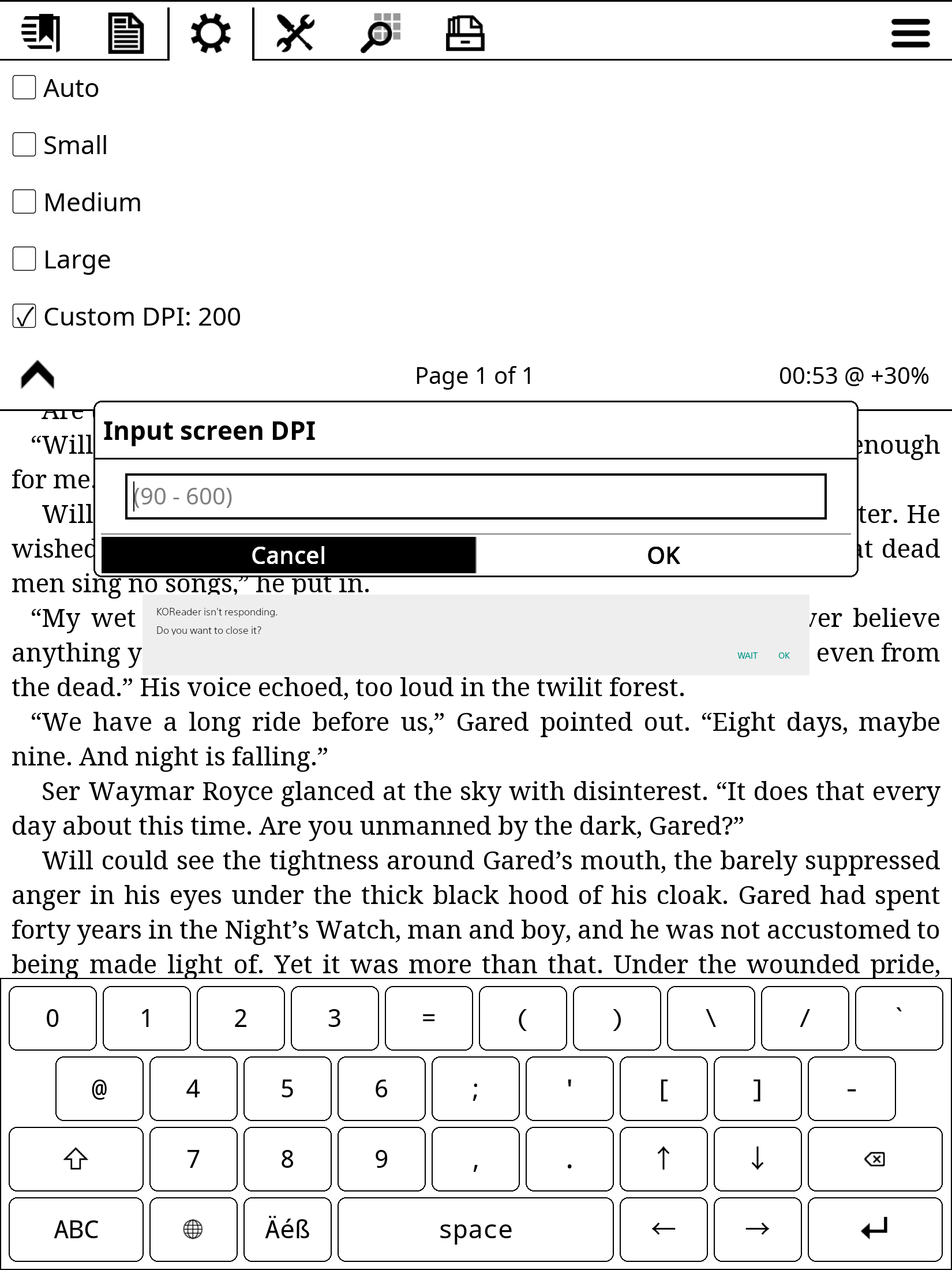
However, the bad news is that the android version KOReader seems doesn't refresh the e-ink screen correctly. When you touch the screen, it does responds (you can see it through logcat), but it often dose not refresh the content. You have to push the menu button to force it to refresh.
In fact, this is so annoying that I can barely use it.
I list it here so that someone capable can fix the little bug. Please info me if I bothered anyone.
EDIT: See https://github.com/HappyZ/dpt-tools/issues/48#issuecomment-450567411, it is a better method. Old comment:
Here is the "solution" I am currently using: Install Wake Lock and set it to
SCREEN_DIM_WAKE_LOCKand autostart on boot. This should make KOReader usable but probably has an impact on battery life.Acquiring a wakelock keeps
/sys/power/asleeptooninstead ofsnoozewhile using the device. If you press the power button so that the screen with "DIGITAL PAPER" is visible, the state will bestandbyas without the wakelock so I think the battery impact should only be there while using the device.Another option might be to play around with the
snooze_timeout_millisin/etc/dp_configurations/StandbySettingsConf.xml. I haven't tried anything like that, just found the file later on. I guess that a real solution should be part of KOReader though as other apps seem to refresh the screen normally.Thanks a lot! @qppq
I have contacted the maintainers of KOReader. It seems the refresh problem always happens on the Android devices with an e-ink screen. Since they don't have many brands of e-ink Android devices available, there is no general way to fix it.
I'm not familiar with Android, so I searched about
Wake Lockon the Internet. And according to your description, I guess this is how dpt-rp1 works: Every time 1000ms after you stop operating, dpt-rp1 switches the e-ink screen off, with the content unchanged, to save power. Since KOReader doesn't "reactivate" the screen before refreshing, most of the refresh operations are enqueued and eventually lost.The KOReader refresh function locates in the file
/data/data/org.koreader.launcher/files/ffi/framebuffer_android.lua, I guess I might fix the problem by modifying it. At least I hope so.I don't know Android, and I don't know lua either. What a pain !!!
I have to say, at lest, the WakeLock method works.
I just tried the method with
/etc/dp_configurations/StandbySettingsConf.xmland it also worked. Executing the following inadb shellhas essentially the same effect as the wakelock method:I will be using this method now instead.
Setting
snooze_timeout_millisto10000instead of86400000also works for pretty much all relevant operations and might be better for the battery. If you want to fix this in KOReader, keeping a wakelock until all operations are finished is probably a good idea.I tried the
/etc/dp_configurations/StandbySettingsConf.xmlat first, but I didn't delete the filesConfMgr.dbandConfMgr.db-journal, so it didn't work.Thanks. Now it works without the
WakeLockapp.Just for curiosity, how did you find that it makes refresh work well just by disabling screen dim ? @qppq
I also tried KOReader on my android smartphone and compared the two
adb logcat. The DPT has a lot of messages likeW/PowerManagerService( 2149): Going to sleep due to screen timeout (uid 1000)...,W/PowerManagerService( 2149): [PhoneWindowManager] Screen turned off...TRANSITION_WAKEUP_TO_SNOOZEandD/PowerManagerService( 2149): ReleaseSuspendBlocker: PowerManagerService.WakeLocksso I thought that maybe this would be the reason.How smart you are!
By the way, the KOReader maintainers seem to be trying to fix the problem in their next version.
And happy new year!
They have a new version to solve the problem. With the option "Keep screen on" selected by default, koreader works well without any third-party apps or special modifications to the configuration files. @qppq
@Zack-Q if you don't mind, can you write a small paragraph on how you install KOReader? I'll put that into Wiki. Or you can directly edit wiki.
Thanks for invitation! I'll write a new wiki page about it sooner. @HappyZ
@Zack-Q thanks! looks great!